

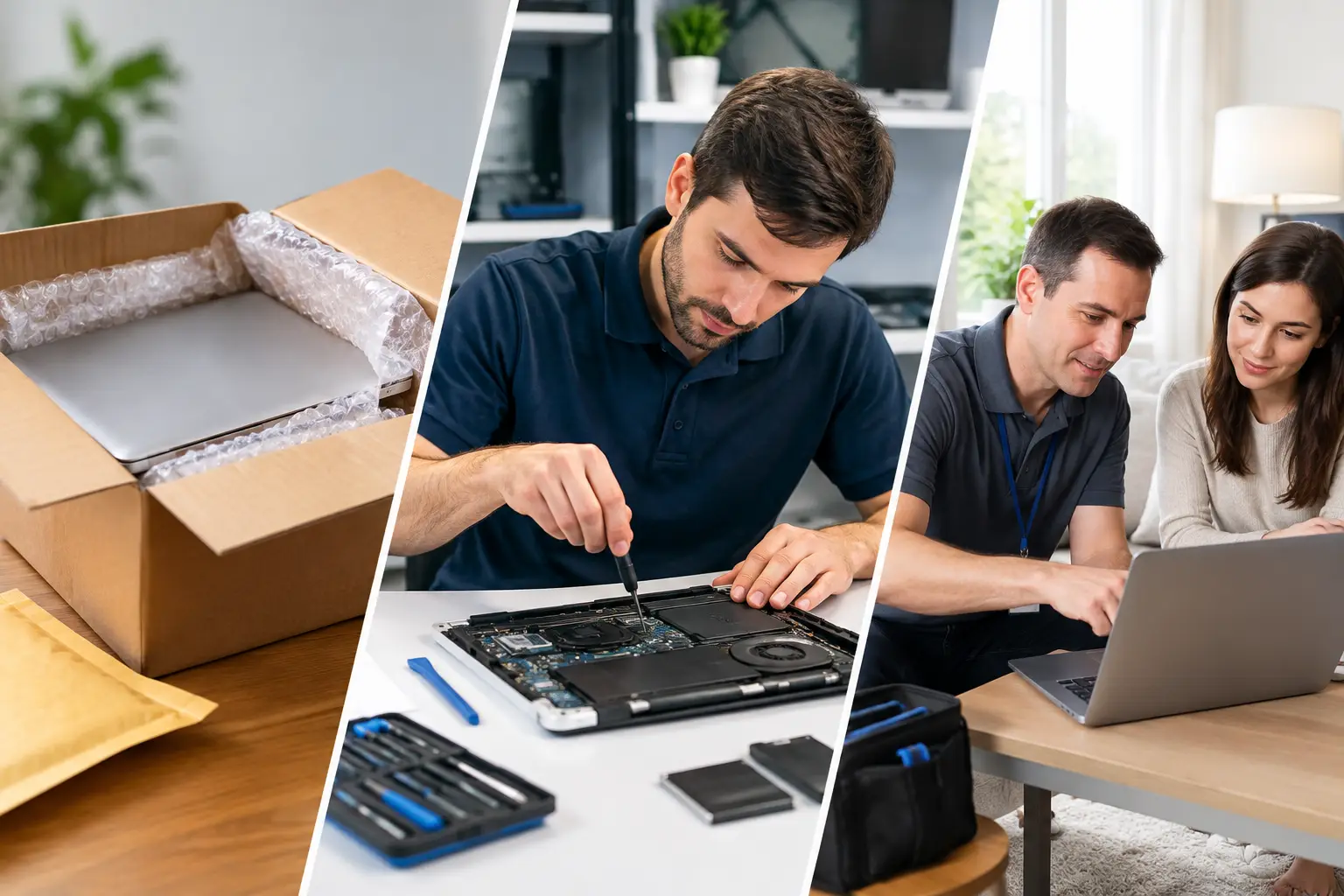

A cracked phone screen before a work trip, a laptop that will not charge the night before an assignment, or family photos trapped on a water-damaged computer all create the same question: should you ship it out or get help nearby? The mail in versus local repair decision is not just about the repair price. It affects how long you are without your device, who you can talk to, and how easily you can get answers if something changes.
For many everyday repairs, a local shop is the faster, less stressful choice. But mail-in service can make sense in a few specific situations. Here is how to decide without getting stuck waiting weeks for a simple fix.
The Real Cost of Mailing a Device for Repair
Mail-in repair sounds convenient at first. You fill out a form, pack the device, send it away, and wait for it to come back. That may work if you live far from a qualified technician or have a rare device that needs specialized work. Still, the timeline is often longer than customers expect.
Before a technician even looks at your phone or computer, it has to be shipped, received, checked in, and evaluated. Once the repair is complete, it needs to be packed and shipped back. A repair that takes an hour at a local store can turn into a week or more when shipping is involved.
There are other costs to consider, too. Shipping insurance, packaging materials, return shipping, diagnostic fees, and expedited service can add up quickly. Some mail-in services advertise a low starting price but do not give a firm quote until the device is already in their hands. If you decline the repair, you may still be responsible for return shipping or an inspection charge.
With a local repair shop, you can usually get a clear explanation before work begins. You can ask what failed, what parts are needed, and whether the repair makes financial sense for your device. That straightforward conversation is especially valuable for older laptops, tablets, and phones where a major repair may not be the best use of your money.
Mail In Versus Local Repair: Speed Matters
When your device is part of your daily routine, downtime has a real cost. Your phone may hold your work contacts, banking apps, school logins, family photos, and two-factor authentication codes. Your computer may contain business files, tax documents, or assignments that cannot wait.
Local repair removes shipping time from the equation. For common problems like cracked screens, weak batteries, charging issues, virus removal, and laptop power problems, a nearby technician may be able to diagnose the issue right away and complete the repair the same day or within 24 hours, depending on the model and part availability.
Mail-in service is rarely built for urgency. Even when a company offers fast repair once it receives the device, transit time is still outside its control. Weather delays, missed deliveries, weekends, and carrier issues can leave you waiting longer than planned.
If you need your device back quickly, ask a local shop two simple questions: Can you diagnose it today, and do you have the part available? Those answers tell you far more than a vague online turnaround estimate.
You Can Speak to the Person Fixing It
A major advantage of local repair is accountability. You can walk in, explain what happened, show the technician the problem, and ask questions in plain English. If your laptop only shuts down when it is unplugged, or your phone screen has a flickering line that comes and goes, demonstrating that behavior in person can help speed up an accurate diagnosis.
With mail-in service, communication often happens through automated emails, support tickets, or call centers. You may be speaking with someone who has never seen your device. That can be frustrating when the initial diagnosis changes, a part is backordered, or you need an update right away.
A local technician can also explain your options without pressure. Maybe your computer needs a new battery. Maybe it has malware and needs cleanup. Or perhaps the hard drive is failing and your first priority should be recovering files. A good repair shop helps you understand the practical next step, not just approve a charge.
Data Security Is Not a Small Detail
Most people think about the physical device, but the data on it is often more valuable. Phones and computers can hold saved passwords, personal photos, medical information, financial records, and business documents. Sending a device through the mail means it changes hands several times before it reaches the repair bench.
There is always some risk when shipping expensive electronics. Packages can be delayed, damaged, or lost. Proper packing and insurance help, but they do not eliminate the inconvenience of a device disappearing while you need it most.
Local repair lets you hand your device directly to a technician and get a receipt in person. You can ask how your information will be handled and whether you should back up your files before work begins. For data recovery, water damage, or a computer that will not start, that face-to-face conversation can be the difference between making a rushed decision and protecting what matters.
Before any repair, remove your SIM card if appropriate, back up your device if it still powers on, and make sure you know your passwords. Do not erase a computer or phone if you need data recovered unless a technician tells you it is safe to do so.
When Mail-In Repair Can Be a Good Option
Mail-in repair is not always the wrong choice. It can be useful when your device requires a highly specialized service that is not available locally, such as certain board-level repairs, unusual vintage equipment, or manufacturer-only warranty work. It may also make sense if you live in a remote area without a trusted repair provider.
The key is to compare the full process, not just the advertised repair price. Find out who pays for shipping, how long the company takes after receiving the device, whether the quote is guaranteed, and what happens if the repair cannot be completed. Ask about warranty coverage and whether you will receive tracking for the return shipment.
For a non-urgent device, such as an older backup laptop or tablet you rarely use, waiting may be acceptable. For the phone or computer you rely on every day, a local option is usually easier to manage.
Local Repair Is About More Than Proximity
Choosing a local shop does not mean settling for less expertise. The right technician should work on a wide range of devices, explain the problem clearly, use quality replacement parts, and stand behind the repair. You should feel comfortable asking for a price estimate before approving work.
Convenience matters, too. Local service can mean dropping off your device on the way to work, speaking with a live person when you have a question, or arranging pickup and drop-off when getting to the shop is difficult. For customers in the Aston and Havertown area, CNA Computer Repair & Sales offers the kind of direct, personal support that is hard to get from a shipping label and an automated email.
Be cautious of any repair provider that promises a fix without asking questions about the model, symptoms, or damage. A trustworthy shop will be honest when a repair is simple, when it needs more diagnosis, and when replacement may be the better value.
Choose the Repair Option That Gets You Back to Normal
If your device needs help now, local repair usually wins on speed, communication, and peace of mind. You avoid the shipping delay, get a chance to discuss the problem directly, and know where your device is while it is being repaired. For a cracked screen, failing battery, charging problem, virus infection, or urgent data concern, those benefits matter.
Mail-in service still has a place for highly specialized or non-urgent repairs. Just make your choice with the entire timeline and total cost in mind, not the first price you see online.
Your device should not sit in a box for days when a knowledgeable local technician may be able to get it working again quickly. Call, ask for an estimate, and get a clear answer before another day of downtime gets in your way.
Leave a Reply