


Your phone can look perfectly fine and still be nearly impossible to use when nobody can hear you. If calls sound muffled, voice notes record silence, or Google Assistant stops responding, the android microphone replacement cost is probably one of the first things you want to know. The honest answer is that the price depends on the phone, the actual source of the problem, and how much disassembly the repair requires.
A microphone issue is not always a failed microphone. Dust in a tiny port, water exposure, software trouble, or damage to the charging assembly can create the same symptoms. Getting the phone checked before replacing parts is the best way to avoid paying for a repair you do not need.
What Does Android Microphone Replacement Cost?
Most Android microphone repairs fall into a moderate repair range, but there is no one flat price for every device. A basic repair on an older or more common model may cost less than work on a newer Samsung Galaxy, Google Pixel, or foldable phone. Parts availability and the phone’s internal design make a real difference.
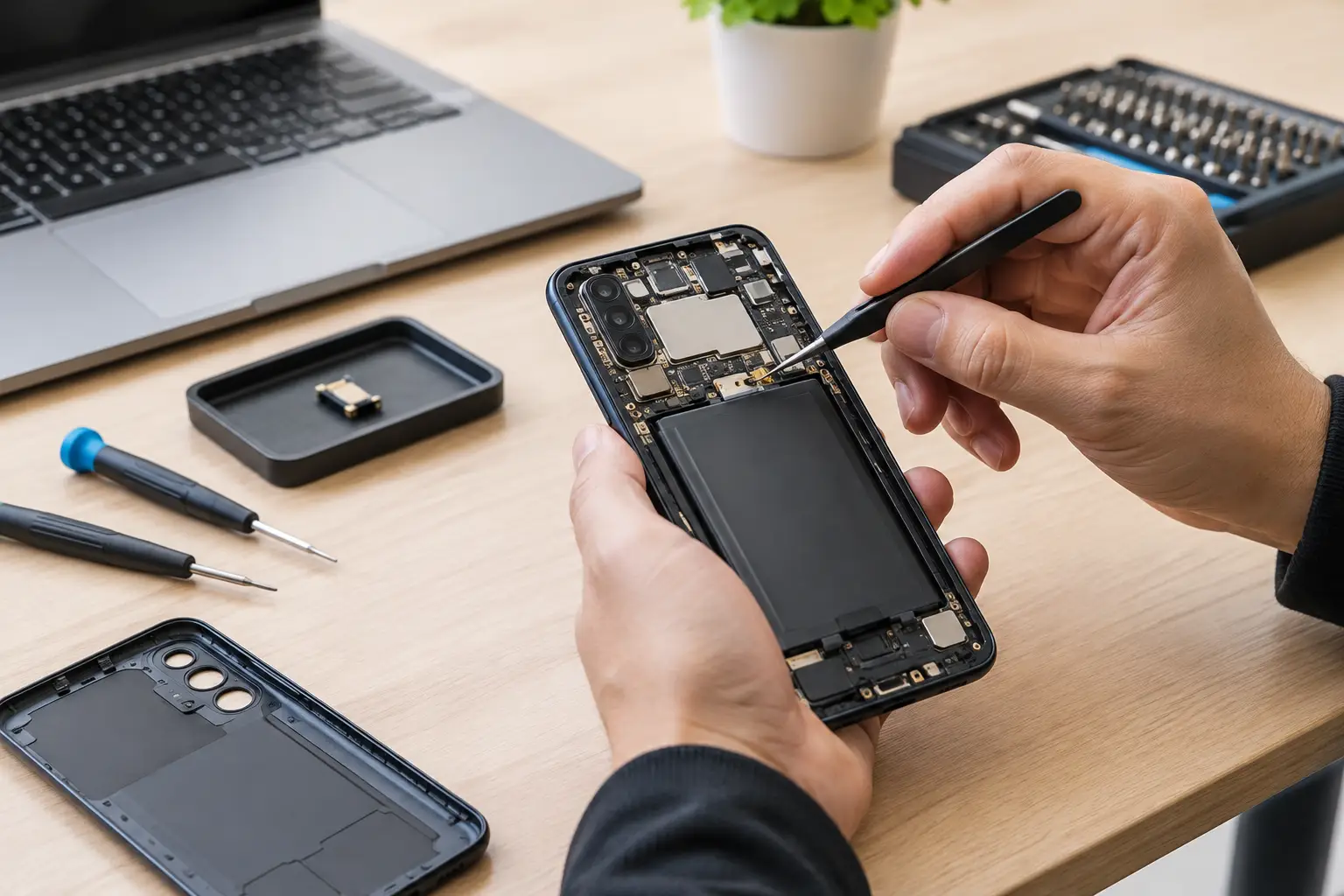
For many phones, the microphone is attached to a charging port flex cable or lower daughterboard rather than installed as a separate, simple-to-swap component. That can be good news when the assembly is readily available. On the other hand, it can increase the price when the technician must remove the screen, battery, back glass, or several internal components to reach it safely.
The best quote should include the part, labor, testing, and any applicable warranty. Be cautious with a price that sounds unusually low but does not explain whether it covers quality parts or the full repair. A cheap microphone repair is not a bargain if the phone still has charging problems or poor call quality a week later.
Why Microphone Repair Prices Vary
The model of your Android phone is the biggest factor. A popular phone often has easier-to-source parts and repair procedures technicians perform regularly. Less common models, premium devices, and newer releases may require special-order parts or more labor.
Damage history matters, too. If the phone was dropped, a bent frame or cracked screen may complicate the repair. If it was exposed to water, corrosion can affect more than one component. Replacing the microphone may restore audio temporarily, but a corroded connector or damaged board can cause the problem to return.
The type of microphone also matters. Many phones have multiple microphones: one for regular calls, one for speakerphone or video recording, and another for noise cancellation. If people hear you during a standard call but videos have no sound, the failed component may not be the same microphone used for phone calls. Accurate testing helps identify which part is actually at fault.
The Repair May Involve the Charging Port
On many Android phones, the primary microphone sits near the bottom charging port. If your caller cannot hear you and your phone also charges inconsistently, the charging port assembly may be involved. Replacing that assembly can solve both problems at once.
This is why a technician should test charging, wired headphones if applicable, recordings, speakerphone, and video audio before quoting the job. Replacing only the microphone when the port assembly is failing may not be the right repair.
Screen and Back Glass Removal Can Add Labor
Some phones open from the front, which means the screen must be removed before the microphone can be reached. Others open from the back, requiring careful removal of adhesive-backed glass. Either route requires time and precision.
If the screen is already cracked or the back glass is badly damaged, let the repair shop know before you bring it in. Existing damage does not automatically prevent a microphone repair, but it can affect the safest way to open the device and the final recommendation.
Signs You May Not Need a Microphone Replacement
Before assuming the microphone is dead, try a few quick checks. Remove your case and inspect the microphone opening near the charging port. Pocket lint, makeup, dust, and debris can block sound surprisingly well. Do not push a pin, needle, or metal tool into the opening. It is easy to damage the microphone mesh or internal component.
Restart the phone and test it in more than one app. Make a regular call, record a voice memo, capture a short video, and try speakerphone. If the microphone works in one situation but not another, the issue may be an app permission, Bluetooth connection, software setting, or a particular microphone rather than a complete hardware failure.
Also check Bluetooth. A phone connected to earbuds, a car stereo, or a smartwatch may use that device’s microphone instead. Turn Bluetooth off, then test again. If the problem disappears, your phone’s built-in microphone may be fine.
If you recently installed an app, completed a system update, or changed permissions, software troubleshooting is worth trying first. But if the phone suffered a drop, got wet, has visible debris in the port, or produces consistently distorted audio across every app, professional diagnosis is usually the faster path.
When Repair Makes More Sense Than Replacement
A microphone problem alone does not usually mean you need a new phone. If your Android still has a healthy battery, usable screen, enough storage, and reliable performance, repair can be a practical and affordable choice. It also saves you the hassle of moving photos, apps, passwords, and contacts to a new device.
Replacement may make more sense when the microphone failure comes with major problems such as severe water damage, a failing motherboard, a broken display, battery swelling, or repeated charging issues. In those cases, the total cost of several repairs can approach the value of the phone.
A good repair shop should be straightforward about that trade-off. The goal is not to sell you a repair at any cost. It is to help you spend wisely on the device you already own.
What to Ask Before Approving the Repair
A clear estimate starts with a few simple questions. Ask whether the microphone itself is being replaced or whether the repair includes the charging port assembly. Ask whether the shop has tested the phone to rule out debris, Bluetooth, software, and board-level issues. You should also ask about part quality, turnaround time, and what happens if testing finds water damage or another issue after the phone is opened.
For a busy family, student, or small business owner, turnaround matters as much as price. You use your phone for work calls, school messages, banking alerts, maps, and two-factor codes. A repair that leaves you without it for a week can be more disruptive than expected. When possible, choose a local repair provider that can give you a realistic timeline rather than a vague promise.
Back up your phone before any repair if it still powers on and you can access it. Microphone repairs normally do not require data removal, but any electronic device repair carries some risk, especially when liquid damage or severe impact is involved. A current backup protects the photos, messages, and files you cannot replace.
Get a Straight Answer Before You Spend
If your Android phone is forcing you to repeat every sentence or sending blank voice messages, do not guess at the fix. A quick inspection can tell you whether the problem is debris, a settings issue, a charging port assembly, or a damaged microphone.
CNA Computer Repair & Sales helps local customers get clear answers and practical repair options without hidden surprises. Bring in the phone, explain when the audio problem started, and mention any drops, water exposure, or charging trouble. The right repair begins with finding the real problem – so you can get back to being heard.
Leave a Reply