

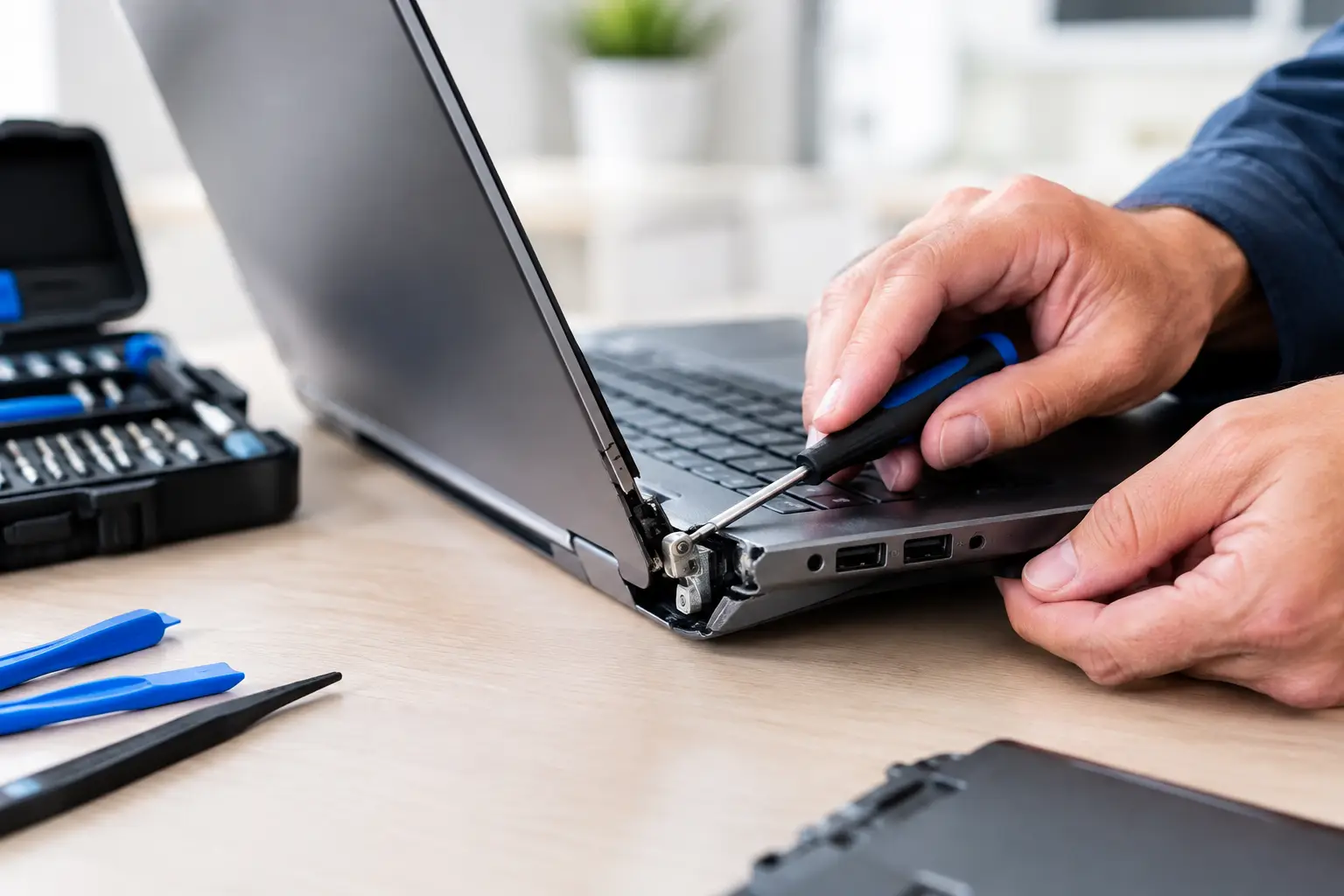

A laptop that makes a cracking sound when you open it is not something to ignore. In many cases, the hinge is pulling away from the plastic case, stressing the screen, webcam wires, display cable, or charging area at the same time. This laptop hinge repair guide explains what is likely happening, what you can do safely, and when it is time to stop opening the laptop and have it repaired.
What a Broken Laptop Hinge Really Means
Your laptop hinge is not just a pair of metal joints that lets the screen move. It is anchored to the lid and lower case with small screws, brackets, and mounting points. On many laptops, those mounting points are molded into plastic. After years of opening and closing the screen, or after one bad drop, the plastic can crack and the screws can pull loose.
That is why a hinge problem often looks bigger than a loose hinge. You may see the case separating near a corner, a gap between the keyboard deck and the bottom cover, or the bezel around the screen lifting when you move the lid. Some laptops still open and close, but forcing them can turn a manageable case repair into a damaged display or torn cable.
A stiff hinge can also be the root cause. When the hinge becomes too tight, every opening puts extra pressure on the lid and chassis until something gives. Simply tightening a loose screw without addressing the damaged mounting point or hinge tension usually does not solve the real problem.
Signs You Need Laptop Hinge Repair Soon
The clearest warning sign is resistance. If the lid suddenly feels harder to open, stop using one hand at the corner of the screen. Open it slowly from the center if you must use the laptop, and keep the screen in one position as much as possible.
Other signs include cracking or popping noises, exposed hinge metal, a lifted screen bezel, separated case panels, or a display that flickers as you adjust the lid. You may also notice that the Wi-Fi signal drops, the webcam stops working, or the screen goes black at certain angles. Those symptoms can mean the internal display cable or antenna wires are being pinched near the hinge.
Do not wait for the screen to fail completely if the case is already splitting. The longer a loose hinge twists against the laptop body, the more parts may be involved in the repair.
What to Do Before the Damage Gets Worse
First, back up your important files. A broken hinge does not automatically mean your storage drive is at risk, but a failing display can make it harder to access family photos, schoolwork, financial documents, and work files later. If the laptop still turns on, save your files to a cloud account or external drive right away.
Next, avoid repeatedly opening and closing the lid. If you need to use the computer temporarily, place it on a stable desk, open it carefully to a comfortable angle, and leave it there. Never try to bend the hinge back into place or press the case panels together with force.
Tape may hold a loose piece of plastic out of the way for a short time, but it is not a repair. Glue is also a poor shortcut in most cases. Adhesive can seep into the hinge, cables, or ventilation openings, and it rarely provides a lasting hold where the original mounting posts have broken away.
If the screen is lifting, the case is sharp or cracked, or wires are visible, power the laptop down and have it inspected. Continuing to use it can damage the screen panel, which is often more expensive than correcting the hinge issue early.
Can You Repair a Laptop Hinge Yourself?
It depends on the laptop and the type of break. A hinge that is merely loose because of accessible screws may be a reasonable repair for someone comfortable opening electronics. However, most hinge failures are more involved than a few loose screws. The repair may require removing the screen assembly, keyboard, bottom cover, battery, Wi-Fi antenna leads, and display cable before the technician can reach the damaged area.
A proper repair can involve replacing the hinge, the lid, the palm rest or lower case, or several of these parts together. If screw mounts are broken, they need a durable solution that restores the hinge’s support. Replacing only a visibly damaged hinge while leaving cracked case mounts in place can lead to another failure.
DIY work also carries a few real risks. Laptop display cables are thin and easy to crease. Batteries can be punctured or damaged if handled incorrectly. On some models, the screen panel is bonded into the lid, so a small mistake can become a full screen replacement.
If you decide to inspect the laptop yourself, disconnect power first and do not use force. Keep screws organized by location, since screw lengths often vary. Take clear photos before removing parts. Most importantly, stop if you find cracked mounting posts, torn wires, swelling in the battery, or damage around the display cable.
Do Not Confuse a Hinge Problem With a Swollen Battery
A bulging laptop case can sometimes look like hinge damage. If the keyboard, trackpad, or bottom cover is lifting, a swollen battery may be pushing the case apart. This is a safety issue, not a cosmetic problem. Do not press on the battery or try to flatten the case. Shut the laptop down and arrange professional service promptly.
What Professional Hinge Repair Usually Includes
A good repair starts with checking the full hinge path, not just the visible crack. The technician should inspect both hinges, the screen housing, the lower case, the display cable, webcam wiring, Wi-Fi antennas, and the battery area. A laptop may have damage on one side while the opposite hinge is becoming too tight and putting the same stress on the case.
The right fix depends on the model and how far the damage has spread. Sometimes the technician can reinstall and secure the existing hinge assembly. In other cases, replacing the top lid, bottom case, or palm rest is the more reliable choice. If the screen has lines, flickering, black spots, or image loss, it may also need repair or replacement.
This is why hinge repair estimates can vary. A small repair with accessible parts costs less than a model that requires a complete display assembly or structural case replacement. The fastest option is not always the cheapest, but a repair that addresses the actual damage is usually less expensive than letting the screen and cables fail too.
At CNA Computer Repair & Sales, we explain what is broken, what needs to be replaced, and what can safely stay in service. You should not have to guess whether a quote covers a temporary patch or a repair built to last.
How to Prevent Another Hinge Failure
Once your laptop is repaired, a few habits can help protect it. Open the screen from the center rather than one corner, which distributes pressure more evenly. Carry the laptop in a padded sleeve or bag instead of holding it by the screen. Before closing it, check for earbuds, pens, charging cables, or other objects on the keyboard.
Keep the laptop on a flat surface when opening it. A soft couch cushion or uneven bed can twist the base and make the hinges work against the chassis. If you notice stiffness, clicking, or separation again, schedule an inspection early rather than waiting for a complete break.
When It Is Time to Bring It In
Bring the laptop in as soon as the lid will not move smoothly, the case is separating, the screen flickers when adjusted, or you can see hinge hardware. These are not problems that improve with normal use. Fast attention may protect the display, preserve your files, and keep a smaller repair from becoming a much larger one.
A broken hinge is frustrating, but it does not automatically mean you need a new laptop. With the right diagnosis and repair, many laptops can return to daily use without the cost and hassle of replacing the whole device.
Leave a Reply