

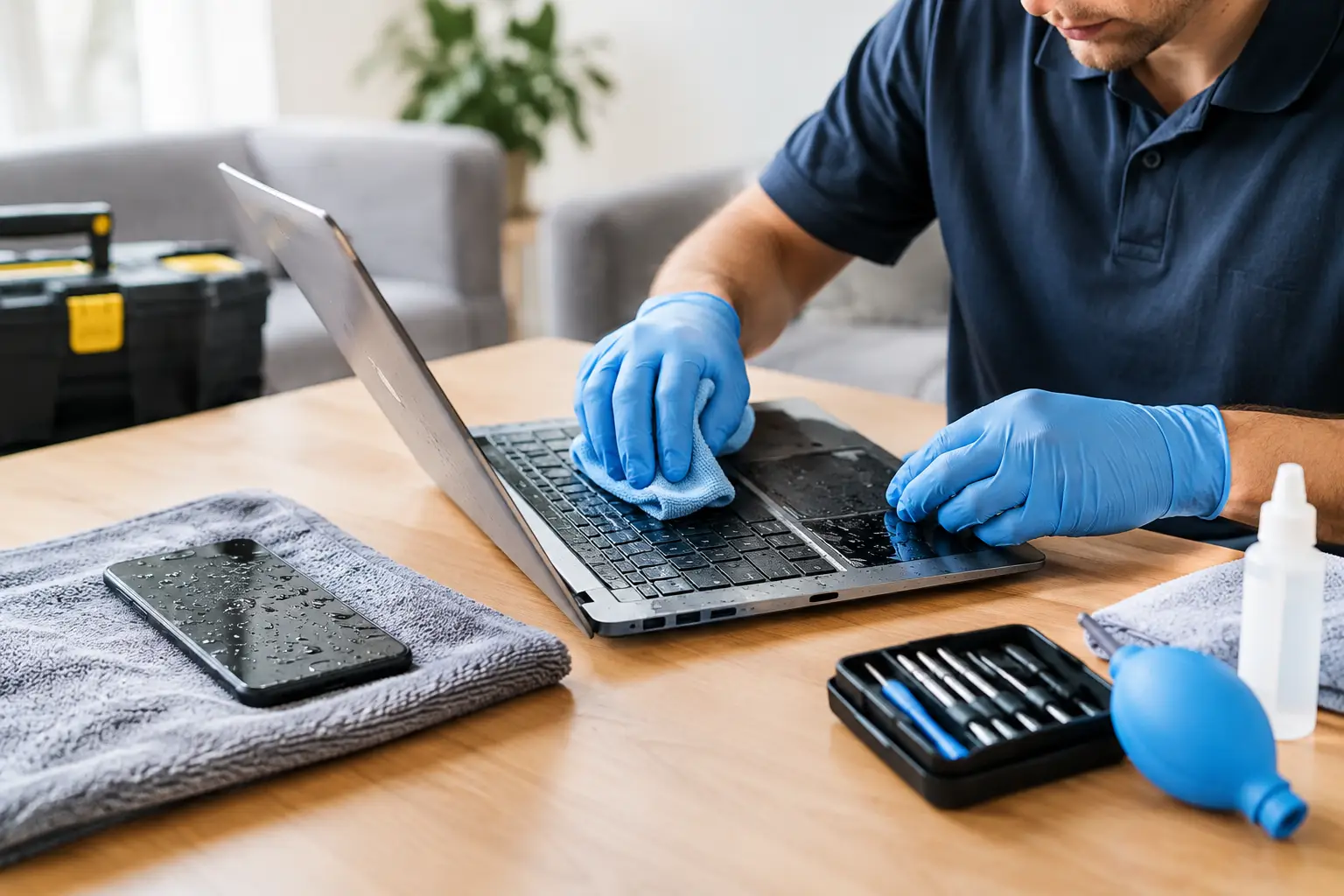

A spilled coffee, a wet countertop, a phone dropped in the sink, or a laptop caught in a rainstorm can turn an ordinary day into a panic. Water damage recovery is a race against time. The faster you stop power from moving through a wet device and get it properly inspected, the better the chance of saving the device, its data, and your budget.
The biggest mistake is assuming a device is fine because it turns back on. Moisture can stay trapped under a screen, inside a charging port, or beneath the keyboard. Corrosion may begin quietly and cause problems days or weeks later. Acting quickly gives you the best shot at avoiding a much bigger repair.
Water Damage Recovery Starts Before You Turn It On
If your phone, laptop, tablet, or computer gets wet, power is the immediate concern. Electricity and moisture can create short circuits that damage delicate components. Even clean water can leave behind minerals as it dries, while soda, coffee, pool water, and saltwater add sticky residue or corrosive contaminants.
Your first priority is simple: turn the device off. Do not test it. Do not plug it in to see whether it charges. Do not press buttons repeatedly. If a laptop is connected to a charger or peripheral, carefully disconnect it from power first. If it is safe to do so, remove the battery from an older laptop with a removable battery.
For a phone or tablet, take off the case and remove any accessories. Wipe the outside gently with a soft, lint-free cloth. If the device has a removable SIM tray, take it out to help air reach that area. Then keep the device powered down until a technician can assess it.
Quick action matters, but so does avoiding the wrong fix. A few hours spent trying internet tricks can turn a repairable device into one with permanent board damage.
What Not to Do After a Device Gets Wet
Many people reach for a bag of rice. It is understandable, but rice is not a reliable water damage solution. It does not remove corrosion or sticky residue inside the device, and rice dust can get into ports and openings. More importantly, it can delay the professional cleaning your device may need.
Avoid heat as well. Do not put your phone in an oven, microwave, clothes dryer, or on a radiator. Do not use a hair dryer. High heat can warp screens, damage batteries, loosen adhesives, and push moisture deeper into the device.
It is also tempting to charge a phone after a few hours because you need it for work, school, or family. Resist that urge. Charging a wet charging port can damage the charging circuit or battery. If your device displays a moisture warning, treat it seriously. Let it stay off and get help rather than trying to bypass the warning.
The Right First Steps for a Wet Phone or Laptop
Once the device is powered off and unplugged, keep it in a dry, safe location. Place a wet laptop with the keyboard facing down in a loose upside-down V shape if possible, so liquid can drain away from the keyboard. Do not shake it aggressively. Shaking can spread liquid to areas that were originally dry.
Take note of what happened. Was it plain tap water, coffee with cream and sugar, a sports drink, rainwater, pool water, or saltwater? Did the device stay submerged, or was it only splashed? This information helps a repair technician determine the likely cleanup and repair needs.
If the device contains important photos, business files, schoolwork, or customer records, say that upfront when you call. Data recovery priorities can be different from a basic device repair. In some situations, the goal is to stabilize the storage and retrieve files before attempting a full repair.
Why Professional Cleaning Makes a Difference
Water damage is not always visible from the outside. A phone may look dry but have moisture under the battery connector. A laptop may have a few working keys while liquid has already reached the motherboard. The damage can develop over time as metal contacts corrode.
Professional water damage recovery typically involves opening the device, disconnecting the battery, inspecting internal components, and cleaning affected areas with the proper tools and solutions. Technicians can also check for damaged charging ports, corroded connectors, failing batteries, screen issues, and keyboard damage.
There is no honest way to promise that every water-damaged device can be saved. The outcome depends on the type of liquid, how long it was inside, whether the device was powered on, and how quickly it received service. Saltwater, sugary drinks, and devices that continued running after exposure usually carry a higher risk. Still, prompt professional service often gives you a far better chance than waiting to see if the device recovers on its own.
Signs Your Device Has Hidden Water Damage
Some problems appear immediately, while others show up after the device seems to recover. Watch for a screen that flickers, dark spots under the display, distorted audio, a camera that looks foggy, or a charging port that works only at certain angles. On a laptop, warning signs may include sticky or unresponsive keys, random shutdowns, a trackpad that stops responding, overheating, or a battery that suddenly drains much faster.
A device that keeps restarting or will not power on after exposure needs attention as soon as possible. Do not repeatedly attempt to restart it. Every power attempt can increase the risk of additional electrical damage.
If your phone has water damage but still works, back up your information only if it can be done without charging the phone or keeping it powered on for long. When in doubt, leave it off and let a technician determine the safest next step. Your photos and files may be more recoverable than you think.
Repair, Replacement, or Data Recovery?
The right option depends on the device and the damage. A newer phone with a water-damaged charging port or battery may be well worth repairing. A laptop with a damaged keyboard could be an affordable fix if the motherboard is clean. On the other hand, a heavily corroded older device may cost more to repair than it is worth.
That does not automatically mean replacement is the best answer. If important files are stored on the device, data recovery may still be worthwhile even when full repair does not make financial sense. This is especially true for family photos, tax documents, work files, and school projects that were not backed up elsewhere.
A straightforward inspection helps you make that decision with real information instead of guessing. Ask for an explanation of what was found, what repair is recommended, what the likely cost is, and whether your data is at risk. A good local repair shop should give you clear options without pressuring you into a replacement you do not need.
Fast Local Help When Water Gets In
When a device gets wet, waiting for a manufacturer appointment or mailing it away can cost valuable time. CNA Computer Repair & Sales helps local customers with water-damaged phones, laptops, tablets, and computers, with straightforward answers and repair options that fit the situation. Whether you need a quick assessment, internal cleaning, a replacement part, or help recovering important data, getting the device checked early is usually the smartest move.
For customers in Havertown, Aston, Media, Springfield, and nearby communities, a local repair option means you can talk to a real person about what happened and what comes next. That matters when your phone is your connection to work and family, or your laptop holds the files you need tomorrow.
The best thing you can do after a spill is keep the device off, skip the rice and heat, and get it looked at quickly. Water damage does not always announce itself right away, but fast, careful action can keep one accident from becoming a permanent loss.
Leave a Reply