

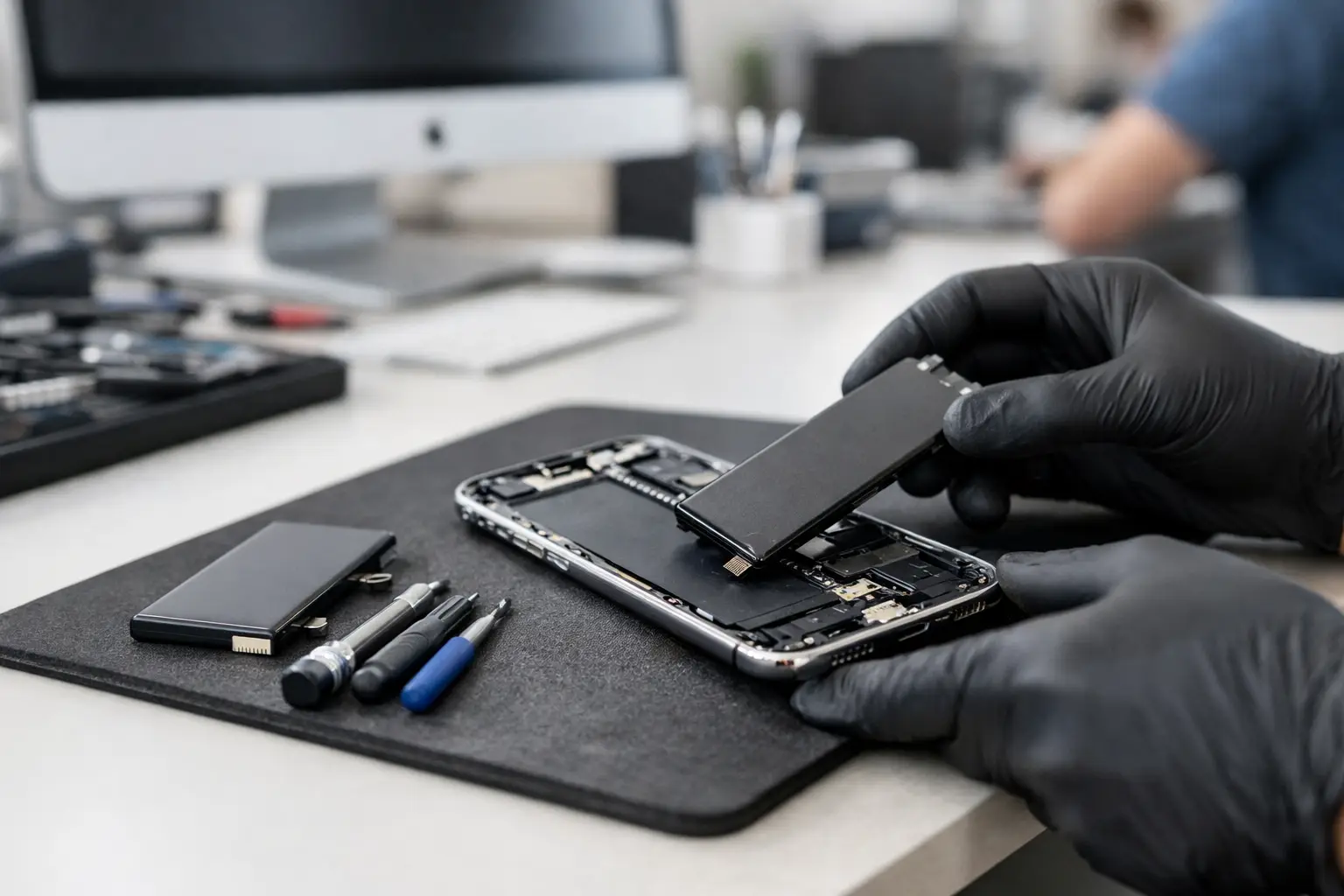

A phone that drops from 35% to 5%, shuts off in the cold, or needs to stay plugged in by midafternoon is not just annoying – it gets in the way of work, school, family, and everything else you use your iPhone for. This iPhone battery service review gives you a clear look at what battery replacement can fix, when it is worth paying for, and what to expect before you hand over your phone.
For many people, a battery replacement is one of the best ways to extend the life of an otherwise reliable iPhone. The right repair can restore practical all-day use for a fraction of the cost of replacing the device. But it is not the answer to every charging or performance issue, which is why an honest diagnosis matters.
What an iPhone Battery Service Actually Fixes
Every rechargeable battery wears down. Your iPhone battery holds less power after repeated charging cycles, and that loss tends to become more noticeable after a couple of years of everyday use. You may find yourself charging twice a day, carrying a power bank everywhere, or turning off useful settings just to make it through dinner.
A battery service replaces the worn battery with a new, compatible replacement. When the battery is the real problem, the improvement is usually immediate: more time between charges, fewer unexpected shutdowns, and more dependable performance when you need the phone most.
It can also help with a phone that feels slow. iPhones may manage performance when battery health has declined or when the battery cannot consistently provide the power the phone needs. A new battery will not turn an older model into the newest iPhone, but it can make a capable phone feel usable again.
iPhone Battery Service Review: When It Is Worth It
Battery replacement makes the most sense when the rest of your iPhone is in good working order. If the screen is clear, cameras work, storage still meets your needs, and the phone receives the software support you need, replacing the battery is often a smart, budget-friendly decision.
Look for clear signs that the battery is failing. Rapid battery drain is the most common one. Other warning signs include random shutdowns, an iPhone that gets unusually warm during normal use, slow charging, or a battery health message in Settings. If the battery health reading is around 80% or lower, service is commonly worth considering, especially if you notice the problems in daily use.
Age alone does not decide it. Some customers replace a battery at 84% health because the phone cannot last through their workday. Others are comfortable at 78% because they mostly use the phone at home near a charger. Your usage matters more than a single number.
A replacement may be less worthwhile if your iPhone has several major problems at once. A cracked display, unreliable charging port, water damage, failing cameras, and a worn battery can add up. In that situation, a repair technician should explain the condition of the entire device and help you compare the repair cost with an upgrade. Straight answers are better than spending money one repair at a time without a plan.
Battery Trouble or a Different Problem?
Not every phone that will not charge needs a new battery. A damaged charging cable, weak wall adapter, debris packed into the charging port, or a failing charging port can create nearly identical symptoms. Software issues and power-hungry apps can also make battery life seem much worse than it is.
That is why a proper inspection comes first. A technician should check how the phone charges, whether the port is loose or blocked, the battery health information, and any signs of liquid damage or physical impact. If the phone only charges when the cable is held at a certain angle, for example, the issue may be the port rather than the battery.
Be cautious with a swollen battery. If the screen is lifting away from the frame, the phone is bulging, or it becomes hot even while sitting idle, stop using it and have it checked promptly. Do not press the screen back down or keep charging it overnight. A swollen battery needs professional attention.
What to Ask Before Approving a Replacement
A good repair experience should feel simple, not vague. Before service begins, ask what is included in the quoted price, what type of replacement battery will be used, how long the repair should take, and whether the work is covered by a warranty. You should also ask whether the shop will test charging, buttons, speakers, and basic phone functions before returning the device.
The lowest quote is not automatically the best value. Battery quality, careful installation, and post-repair testing matter. A cheap replacement that drains quickly or causes new problems is not a bargain. On the other hand, paying more than necessary just because a repair comes from a large company does not guarantee a better customer experience.
There can be trade-offs with independent battery repair. Depending on the model, iPhone software may display a message about an important battery message or be unable to show certain battery-health details after a replacement. This does not automatically mean the battery is unsafe or the installation was poor. It is worth discussing before service so there are no surprises.
If preserving manufacturer warranty coverage or specific device-service records is your highest priority, manufacturer-authorized service may be the better fit. If your goal is a fast, affordable repair from a local technician who can explain your options in plain English, an experienced independent repair shop can be a practical choice.
How to Prepare Your iPhone for Battery Service
Back up your iPhone before any repair. Battery replacement normally does not require erasing your data, but backups protect the photos, messages, contacts, and files you cannot replace if an unrelated issue appears. Use your preferred backup method and confirm it has completed.
You should also know your device passcode and Apple Account password. In many cases, Find My may need to be turned off before a technician can complete testing or service. Do not share passwords you do not need to share. A reputable shop can tell you exactly what access is required and why.
Remove your case and bring the charging cable if you have noticed inconsistent charging. The cable can help show whether the problem follows the phone or the accessory. If your iPhone has been exposed to water, dropped hard, or already had repairs, mention it upfront. Those details can change the diagnosis.
Speed Matters When Your Phone Is Your Lifeline
Most people cannot go days without their phone. It holds directions, work messages, two-factor authentication, family photos, and payment apps. That is why turnaround time should be part of your decision, not an afterthought.
For customers around Havertown, Aston, Media, Springfield, and nearby communities, CNA Computer Repair & Sales provides local repair support built around clear communication and practical turnaround times. The goal is simple: identify the real issue, explain the cost before work begins, and get your phone back into your hands without the runaround of a big-box counter.
Same-day availability can depend on the iPhone model, battery availability, prior damage, and the shop’s current workload. An honest repair provider will tell you what is realistic rather than promise a time they cannot meet. If your phone is your only device, ask about timing before you drop it off.
The Bottom Line on Replacing an iPhone Battery
A worn battery can make a perfectly good iPhone feel unreliable, but it does not have to force an expensive phone upgrade. If the device still does what you need and the battery is the main weakness, professional service can be one of the most cost-effective repairs you can make.
Start with a diagnosis, not an assumption. Once you know whether the issue is the battery, charging port, cable, or something else, you can spend your money with confidence and get back to using your phone without watching the percentage all day.
Leave a Reply