

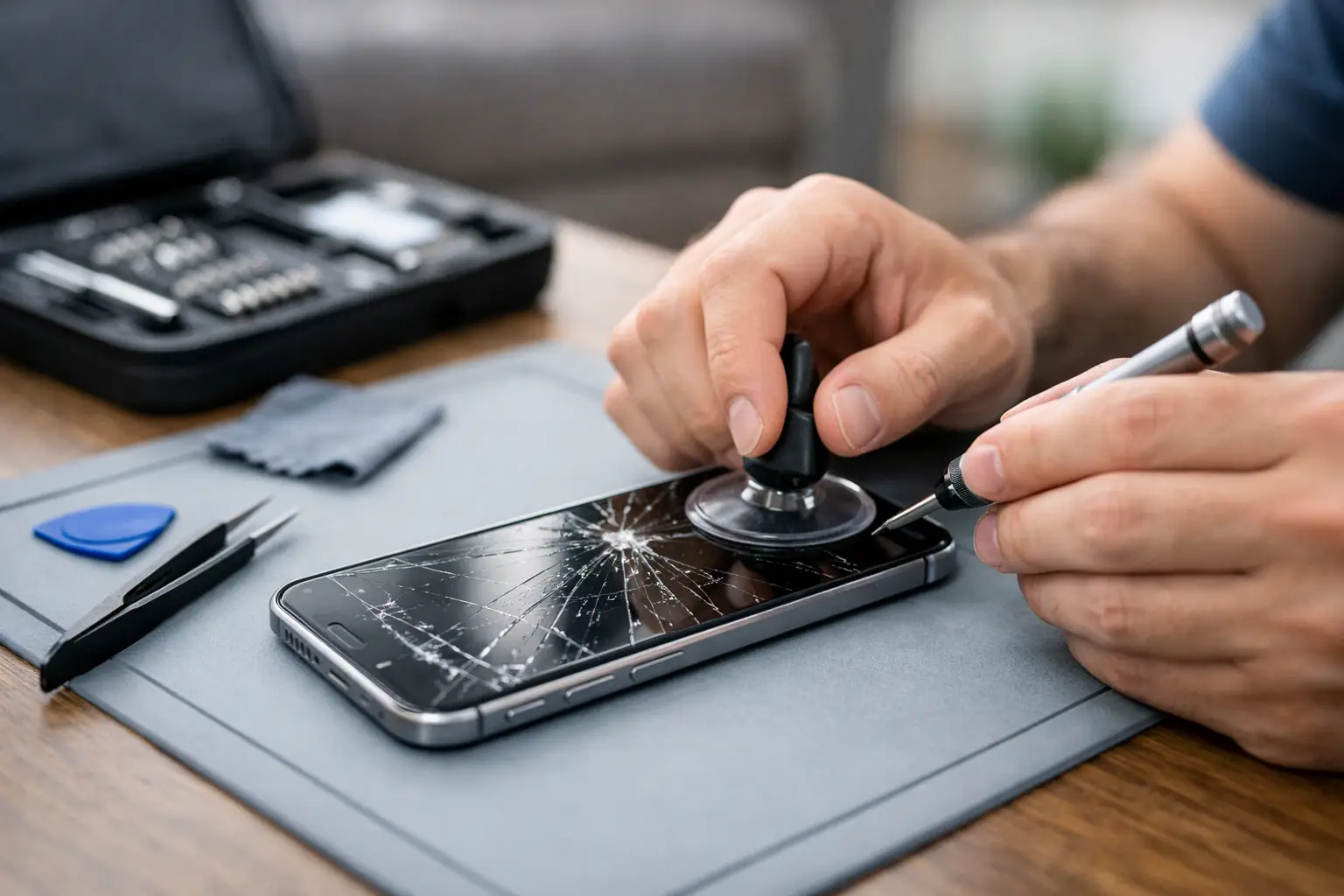

A cracked iPhone screen has a way of becoming urgent at the worst possible moment. One drop can leave sharp glass under your thumb, black spots spreading across the display, or a touch screen that only works when it feels like it. If you are searching for how to fix cracked iphone damage, the first decision is not which repair kit to buy. It is whether the phone is safe to use, whether the damage is limited to the glass, and whether a professional repair will save you time and money.
For most people, a cracked screen is not a good reason to replace an otherwise reliable iPhone. A quality screen repair can restore the phone you already know, keep your photos and apps where they are, and get you back to work, school, or family life without the cost of a new device.
First, check whether your cracked iPhone is safe to use
A hairline crack with a fully working display is different from shattered glass, but neither should be ignored for long. Cracks can let moisture, dust, and pocket debris into the phone. What starts as cosmetic damage can turn into touch problems, display failure, or internal corrosion after a little rain or a spilled drink.
Stop using the phone and get repair help promptly if you see black ink-like spots, colored lines, flickering, a screen that separates from the frame, or glass that is actively coming loose. These signs often mean the display underneath the glass is damaged too. If the phone is hot, swollen, or the screen is lifting upward, do not press it back into place. A swollen battery needs immediate professional attention.
Also be careful if your fingers are getting cut. Covering the screen temporarily can protect you from loose shards, but it does not repair the phone.
What you can do right now
Before deciding on a repair, protect the data that matters. Back up your iPhone to iCloud or a computer while the screen and touch controls still work. If Face ID, your passcode entry, or the display is unreliable, do not wait until the screen goes completely dark.
Remove the case and inspect the edges of the phone. A case can hide bent corners, lifted glass, or damage around the camera and charging port. Then power the phone off if there are loose pieces of glass or if it was dropped into water along with being cracked.
For a short-term safeguard, apply a screen protector or clear packing tape over a lightly cracked display. This can reduce the chance of cuts and keep pieces from flaking away. Use a soft cloth to smooth it down gently. Do not use super glue, nail polish, household adhesives, or liquid glass products. They can seep into openings, interfere with the touch screen, and make a proper repair harder.
How to fix cracked iPhone damage: repair or replacement?
The right answer depends on the severity of the damage, the iPhone model, and how well the phone works otherwise. If the glass is cracked but the image is clear, touch responds everywhere, and there are no lines or black patches, the screen assembly may still need replacement because modern iPhone screens are bonded together. Replacing only the top glass is specialized work, not a practical home repair for most owners.
A professional screen repair is usually the sensible route when your iPhone has plenty of battery life, the cameras work, it charges normally, and it meets your daily needs. It costs less than buying a comparable new phone and avoids the hassle of moving everything to another device.
Replacement may make more sense if the cracked screen is only one of several expensive problems. For example, an older phone with a failing battery, water damage, bent housing, and display problems may not be worth putting significant money into. An honest repair shop should explain that trade-off instead of pushing a repair that does not make financial sense.
Why DIY iPhone screen repairs can backfire
DIY repair videos make screen replacement look quick. The reality is more delicate. iPhones use tiny screws, fragile internal cables, adhesive seals, and components positioned closely together. One misplaced screw or torn flex cable can create a much bigger problem than the original crack.
The risks are higher when the screen is shattered. Broken glass can damage the display cables during removal, and a phone that has been opened carelessly may lose some of its resistance to dust and moisture. Certain models can also show messages related to display parts or lose features if calibration and installation are not handled correctly.
A repair kit can be reasonable for someone with electronics experience, the right tools, a clean work area, and a phone they can afford to be without. It is not the best choice when you need your phone for work, banking, school, medical contacts, or family communication. Saving a little on the part is not a bargain if the phone becomes unusable.
What happens during a professional screen repair
A good repair starts with testing, not assumptions. The technician should check the display, touch response, cameras, charging, buttons, speakers, and frame condition. This helps identify damage that may have happened during the same drop but is not immediately obvious.
The damaged screen is removed, the housing is inspected for bends or debris, and a quality replacement display is installed. After installation, the phone should be tested again for brightness, touch accuracy, Face ID-related components where applicable, proximity sensor function, cameras, and charging. Your personal data normally stays on the phone during a screen repair, but backing up first is still the smart move.
Ask about the quality of the replacement part, the repair warranty, the expected turnaround time, and the full price before work begins. A clear quote matters. You should not be surprised by hidden fees after your phone is already on the repair bench.
Do not ignore a cracked screen after water exposure
A cracked iPhone that gets wet needs more attention than a standard screen repair. Even a small crack can give water a path inside the device. If that happens, turn it off, remove the case, and resist the urge to charge it. Charging a wet phone can worsen internal damage.
Do not put it in rice. Rice does not remove moisture from sensitive components, and grains or dust can create more problems around ports. A professional inspection is the safer move, especially if the screen begins flickering, the phone will not charge, or it restarts unexpectedly after getting wet.
Keep the next crack from happening
Once your screen is repaired, a sturdy case with raised edges and a properly fitted tempered-glass protector can make a real difference. The protector may crack in a future drop, but that is often far better than the display underneath taking the impact.
Avoid setting your iPhone on car roofs, balancing it on your lap when getting out of the car, or carrying it loose with keys and tools. If you use the phone at work, consider a case designed for grip and drop protection rather than choosing the thinnest option available. The best case depends on how you use your phone, but some protection is almost always better than bare glass.
Get your iPhone fixed without the runaround
When a cracked screen is getting in the way, fast professional repair can be the easier choice. CNA Computer Repair & Sales helps local iPhone users get straightforward answers, quality repair service, and quick turnaround without the impersonal experience of a big-box counter. For customers around Aston, Havertown, Media, Springfield, and nearby communities, same-day screen repair may be available depending on the model and damage.
A cracked iPhone does not have to become a dead iPhone. Back up your data, protect your hands from loose glass, and have the device checked before a simple screen problem turns into a more expensive one. The sooner you deal with it, the sooner your phone can go back to being one less thing to worry about.
Leave a Reply