

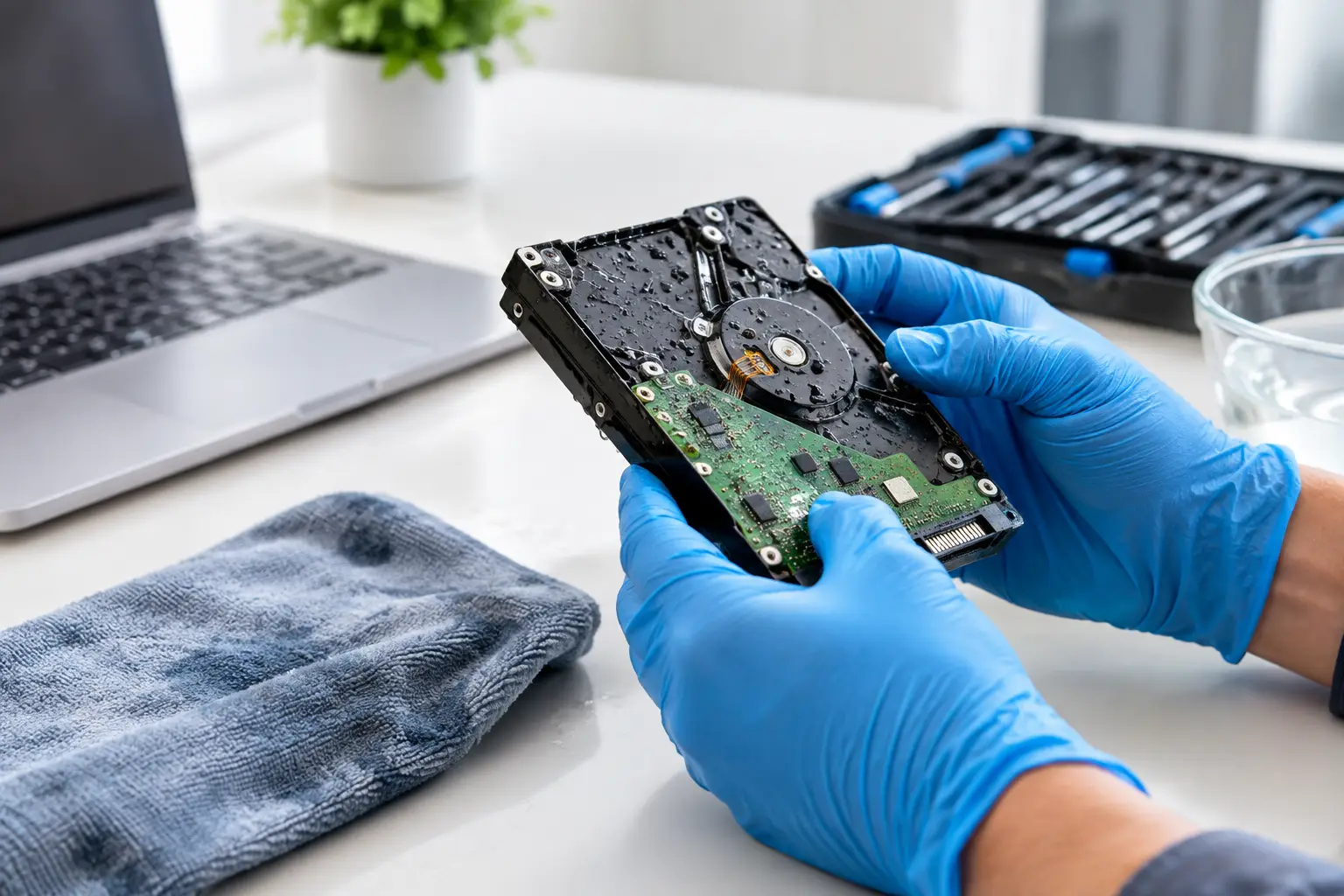

A drink spills across your laptop keyboard. Your phone lands in the sink. A tablet gets soaked in a bag during a rainy day. The device may look like the biggest problem, but the photos, work files, messages, school assignments, and business records inside it are often what matter most. If you are asking whether water-damaged data can recover, the answer is often yes – but what you do in the first few minutes can make a major difference.
Water damage does not always mean your files are gone. In many cases, data remains stored on the device even when it will not power on, charge, or display a picture. The risk is that moisture can cause corrosion and electrical shorts, turning a recoverable situation into a much harder and more expensive one.
Can Water-Damaged Data Recover After a Spill?
It depends on where the liquid reached, how long it remained inside the device, whether the device was powered on, and what kind of storage it uses. Clean water can still cause damage, but soda, coffee, juice, saltwater, and other liquids leave conductive or sticky residue behind. That residue continues to corrode internal components long after the outside appears dry.
The good news is that modern phones, laptops, desktops, and tablets often store information on a drive or memory chip that may survive even if other parts fail. A computer may have a damaged keyboard, charging circuit, battery, screen, or motherboard while the storage drive is still readable. In that situation, a technician may be able to access the files, transfer them to another drive, or repair the device enough to retrieve your data.
Recovery becomes more difficult when liquid damages the storage hardware itself or the part of the board needed to communicate with it. Newer phones and some thin laptops can be especially complicated because their storage may be soldered directly to the logic board. Still, difficult does not automatically mean impossible. A proper inspection is the only way to know what recovery options are available.
What to Do Immediately After Water Damage
Your first goal is simple: stop electricity from moving through wet components. If the device is on, turn it off right away. If it is plugged in, unplug it. Do not keep checking whether it works, keep pressing the power button, or connect a charger to see if it will come back to life.
For a laptop, remove accessible external devices such as USB drives, chargers, mice, and memory cards. If the battery is removable, take it out. For a phone or tablet, remove the case and disconnect accessories. Gently blot visible liquid from the outside with a clean, lint-free cloth. Do not shake the device aggressively, since that can drive moisture farther inside.
Then get the device evaluated as soon as possible. Fast action matters because corrosion does not wait for a convenient time. A device that seems fine immediately after a spill can fail days later as residue damages tiny board connections.
Do Not Use Rice, Heat, or a Hair Dryer
Rice is one of the most common bad ideas after water damage. It does not remove liquid from inside a device, does not clean away residue, and can leave dust or starch particles in ports. Leaving a device in rice may also delay the professional service that could protect your data.
Avoid ovens, microwaves, heating vents, and hair dryers too. Excess heat can warp plastic, weaken adhesives, damage screens, and make internal problems worse. Compressed air can force liquid deeper into the device. A little patience is better than a quick fix that creates additional damage.
Why Turning It On Can Cost You Your Files
Water itself is only part of the issue. The real danger comes when liquid bridges electrical connections while power is running through the board. That can short out components that were otherwise intact.
This is why a device that powers on after a spill should not be treated as safe. It may boot normally, let you answer a few messages, or show your files for a moment. If there is any chance to back up essential information without charging or repeatedly restarting the device, that can be helpful. But if the device is wet, unstable, overheating, flickering, or failing to charge, shut it down instead of gambling on one more attempt.
For a phone that is already working after a small splash, a cloud backup over Wi-Fi may be a reasonable option. For a laptop with visible liquid in the keyboard, a screen that flickers, or random shutdowns, stop using it and have it checked. The right choice depends on the device and the symptoms.
How Professionals Recover Data From Water-Damaged Devices
A professional water-damage and data-recovery process starts with diagnosis, not guesswork. The device is opened so a technician can look for moisture, corrosion, damaged connectors, and affected components. Internal cleaning may be needed to remove residue before it spreads.
On many Windows laptops, Macs, and desktop computers, data recovery may involve removing the hard drive or solid-state drive and testing it separately. If the drive is healthy, files can often be copied to a replacement drive or external storage device. This can be the fastest path when the computer itself is not worth repairing but the files are valuable.
Phones and tablets require a different approach. Their storage is often encrypted and tied to the original board. Simply taking out a chip may not provide access to the data. In those cases, the goal may be to repair the original board enough for the device to boot, unlock, and transfer the information. This is detailed work, which is why it is best not to let an untrained repair attempt make the damage worse.
A trustworthy repair shop should explain the condition of your device in plain language. You should know whether the recommendation is to repair the device, recover the data only, or replace the device after moving what can be saved. There is no reason to pay for repairs you do not need just to get your pictures or documents back.
Signs Your Data May Still Be Recoverable
Even a device that looks completely dead may still hold recoverable information. Positive signs include a laptop that receives power but has no display, a phone that vibrates or makes notification sounds, a computer with a damaged keyboard but normal startup sounds, or a device that was turned off quickly after the spill.
A device with no signs of life can still be worth bringing in, especially if it contains irreplaceable files. Family photos, tax records, work projects, customer documents, and school files have value beyond the price of the device. The sooner it is examined, the better the chance of preventing corrosion from advancing.
There are limits. Severe corrosion, extensive board damage, overwritten files, and physically damaged storage can reduce the chance of recovery. Encryption can also make recovery impossible if the device cannot be repaired enough to unlock it. An honest technician will set expectations rather than promise results before seeing the device.
Protect Your Data Before the Next Accident
Water damage is unpredictable, but losing everything does not have to be. Keep important photos and documents backed up in at least two places, such as a cloud account and an external drive. Make sure your phone backup is current, and check that your computer backup is actually running. Many people discover a backup problem only after a spill.
It also helps to keep drinks away from laptops, use a protective case on phones and tablets, and avoid charging devices near sinks, tubs, or wet work areas. These small habits are easier than trying to replace years of memories after an accident.
If liquid has reached your device, do not wait for it to dry on the counter and hope for the best. CNA Computer Repair & Sales can inspect water-damaged computers, phones, and tablets and give you straightforward options for repair and data recovery. Turn it off, keep it unplugged, and get help quickly – your files may still have a very good chance.
Leave a Reply