

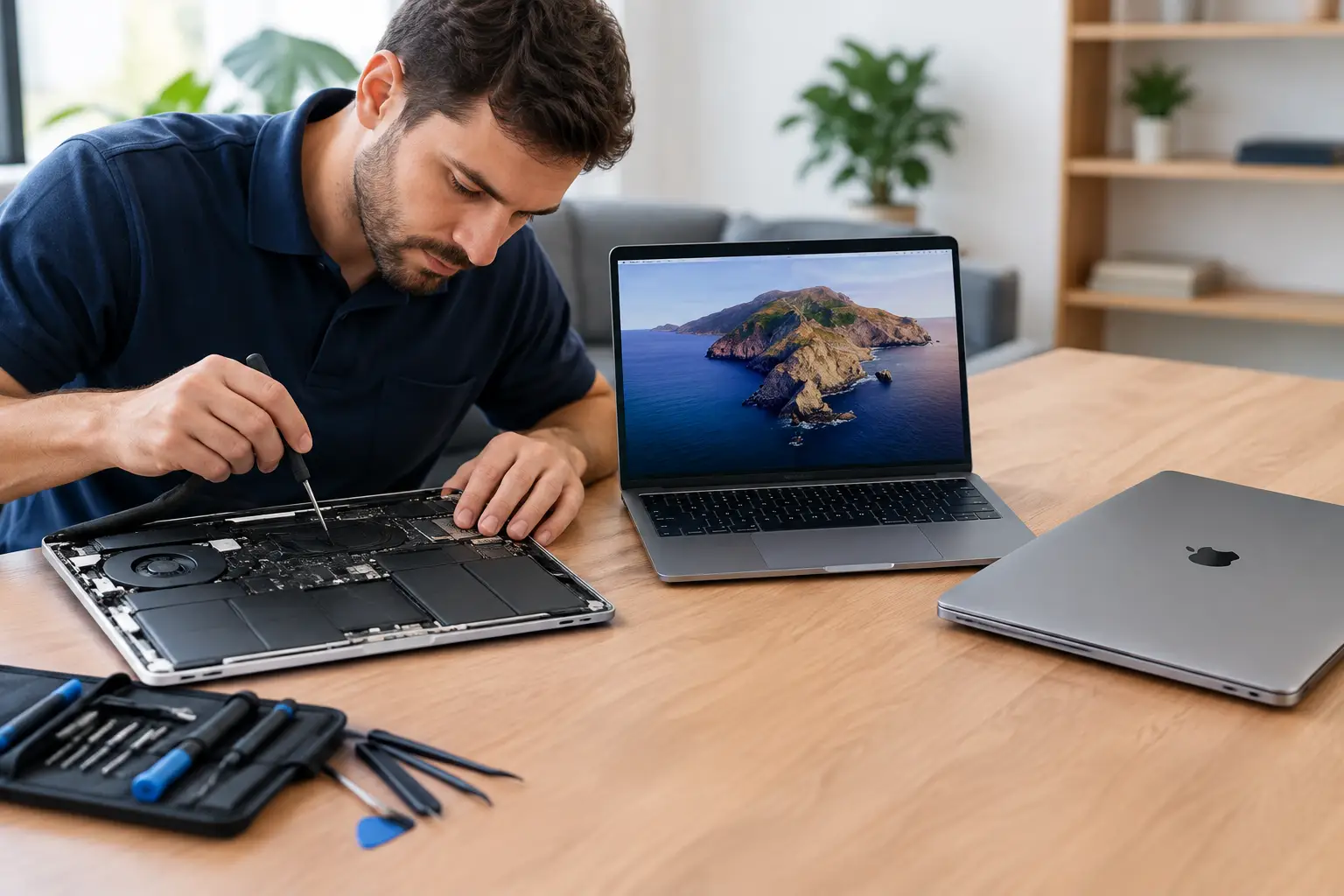

A MacBook that will not charge, dies before lunch, or suddenly runs at a crawl can make replacement feel like the only answer. But MacBook repair versus replacement is rarely that simple. A single failed battery, charging port, keyboard, or display can make an otherwise capable laptop feel finished when it may have plenty of useful life left.
The right choice depends on what failed, how old the MacBook is, what you use it for, and what the repair costs compared with a replacement. The goal is not to keep every old computer alive forever. It is to avoid spending more than you need to – or replacing a machine that could be back to work quickly for a reasonable price.
MacBook Repair Versus Replacement: Start With the Problem
Some MacBook problems look major but are often repairable. A battery that needs service can cause shutdowns, overheating, slow performance, and constant trips to the charger. Replacing the battery may restore the portable laptop you thought you lost.
A cracked screen is another common example. The computer may still be healthy internally, but the display damage makes it difficult or impossible to use. If the MacBook starts normally, charges correctly, and meets your daily needs, a screen repair can be a far better value than buying a new machine.
Charging trouble also deserves a real diagnosis before you shop for a replacement. The issue could be the charger, charging cable, USB-C port, battery, power circuitry, or debris in a port. Those are very different repairs with very different costs. Guessing can lead to replacing a laptop over a problem that had a straightforward fix.
Software trouble can be just as misleading. Startup errors, pop-ups, storage warnings, browser problems, and poor speed do not automatically mean the hardware is obsolete. A system cleanup, malware removal, storage upgrade on supported models, or operating system repair may make a noticeable difference.
When Repair Is Usually the Smarter Move
Repair is often worth considering when the MacBook is relatively recent, the damage is limited to one component, and the computer still handles the programs you need. For many students, families, and working professionals, a repaired MacBook does not need to be the newest model. It needs to be dependable for schoolwork, email, web browsing, video calls, documents, and everyday business tasks.
A practical rule of thumb is to compare the repair estimate with the cost of a replacement that truly matches your current needs. Do not compare it only with the price of the newest MacBook on the shelf. If your current MacBook has the storage, screen size, and performance you need, spending a fraction of replacement cost on a quality repair can make good financial sense.
Repair can also save time. A new laptop is not instantly ready just because it is new. You still need to transfer files, sign in to accounts, reinstall applications, reconnect printers, set up email, and make sure everything works. If a repair gets you back to your own setup quickly, that convenience has value.
Your files matter, too. If the MacBook will not turn on or has liquid damage, do not keep forcing it to start. Repeated attempts can make the situation worse. Professional diagnostics can identify whether the machine is repairable and whether important documents, photos, tax records, or business files can be recovered.
Repairs that often make sense
Battery replacement, display repair, keyboard repair, charging issues, and many software problems are commonly worth evaluating. The same is true for a MacBook with accidental liquid exposure if it is brought in quickly. Water damage is unpredictable, but early service gives the device a better chance than leaving moisture inside and hoping it dries out.
A repair is especially compelling when the rest of the machine is in good condition. If the hinge is solid, the trackpad works, the case is intact, and performance was acceptable before one part failed, there is a strong argument for fixing the specific issue.
When Replacement May Be the Better Investment
There are times when putting more money into an older MacBook is not the right move. If it has multiple major problems at once – for example, a failing battery, damaged display, unreliable keyboard, and logic board issue – the combined cost can approach the value of a newer laptop.
Age matters because software support and performance needs change. An older MacBook may still work for basic tasks, but it can become difficult to use if it no longer supports the applications, security updates, or video conferencing tools you rely on. Professionals who edit large videos, produce music, run demanding design software, or work with large spreadsheets may also outgrow older hardware sooner than a casual user.
Replacement deserves serious consideration if repairs cannot provide a reliable long-term result. A heavily liquid-damaged laptop, repeated motherboard failures, or a device with a history of intermittent problems can become frustrating and expensive. Paying for one repair is different from paying for a series of repairs every few months.
It is also worth thinking honestly about your future needs. If you are starting college, launching a business, moving into remote work, or taking on more demanding creative projects, a newer MacBook may give you the performance and support life that make the higher upfront cost worthwhile.
Do not replace a MacBook based on one symptom
A slow MacBook is not automatically too old. Low available storage, too many startup programs, an aging battery, browser extensions, or a software issue can all affect the experience. Likewise, a MacBook that will not charge may be dealing with a replaceable part rather than a failed computer.
That is why an estimate after proper diagnostics is more useful than online guesses. You need to know what is actually wrong, what the repair will cost, and whether there are signs of additional trouble. Clear answers make the decision easier.
The Questions That Make the Decision Clearer
Before approving a repair or buying a replacement, ask four simple questions:
- Does the MacBook still do what I need when it is working properly?
- Is this one isolated problem or part of a pattern of failures?
- Is the repair cost comfortably lower than a comparable replacement?
- How important are the files and software already on this machine?
These questions shift the conversation away from panic. A broken laptop is inconvenient, especially when work, school, or family schedules depend on it. Still, the fastest decision is not always the best-value decision.
For example, a three-year-old MacBook with a worn battery and no other issues is very different from an eight-year-old unit with water damage and repeated startup failures. The first may be an easy repair decision. The second may be a good candidate for replacement, with data recovery handled first if possible.
Get a Straight Answer Before You Spend
You should not have to decide from a vague message or a generic online forum post. A local repair technician can inspect the device, explain the likely cause in plain language, and provide an estimate so you can compare repair against replacement with real numbers.
For MacBook owners in Aston, Havertown, and nearby communities, CNA Computer Repair & Sales can help diagnose the issue, protect your data when possible, and recommend the practical route without pushing a replacement you may not need. Fast service matters when your laptop is part of your daily life, but so does knowing what you are paying for.
Bring in the MacBook before you buy a new one or assume the worst. A quick diagnosis may reveal that the laptop you already know and rely on only needs the right repair to get back to work.
Leave a Reply