

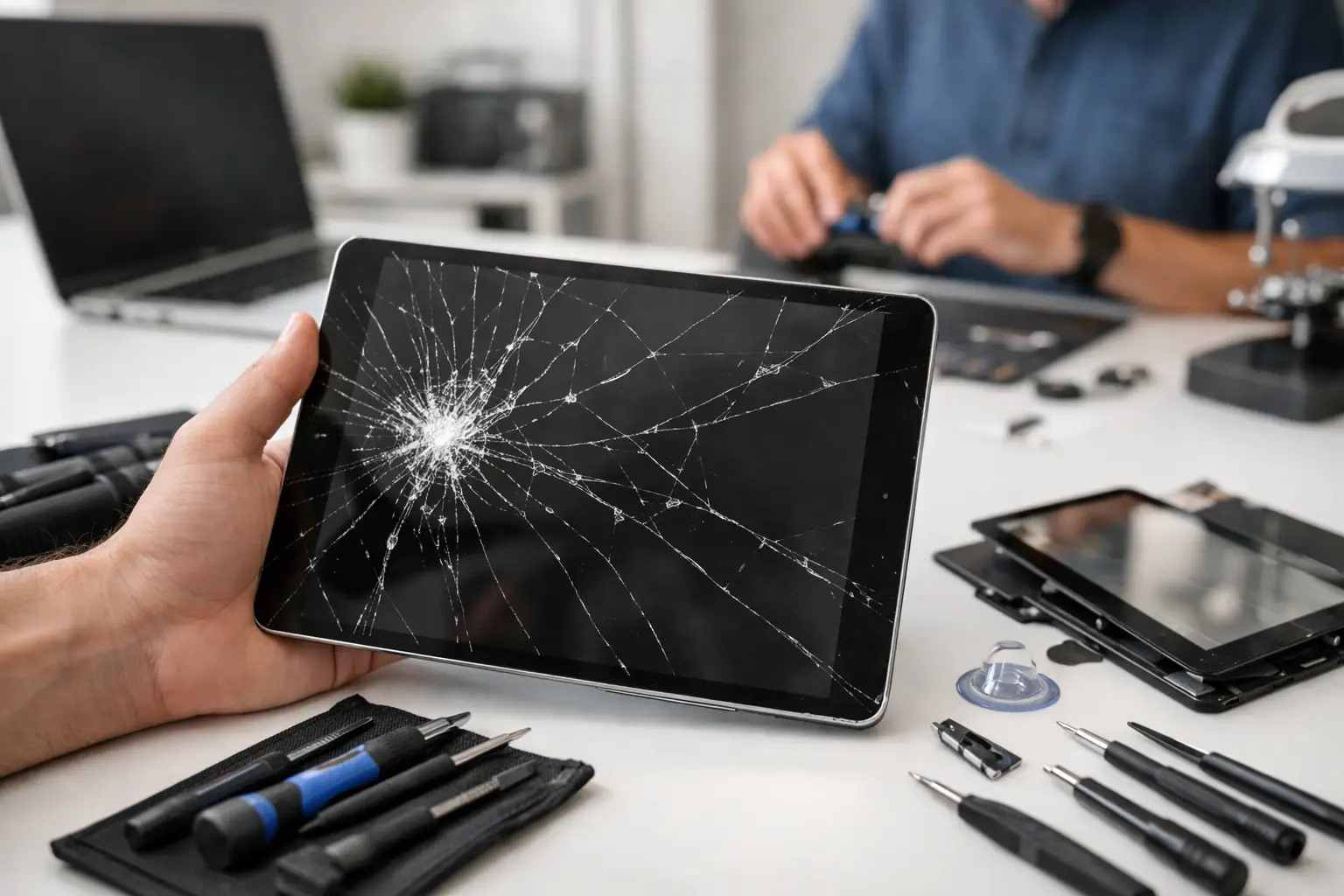

A tablet screen can crack in one second – usually right before a school assignment, work call, flight, or quiet night on the couch. This cracked tablet screen guide helps you decide what to do next without guessing, risking further damage, or paying for a replacement you may not need.
A cracked display is more than a cosmetic problem. Even a small crack can spread across the glass, expose sharp edges, reduce touch accuracy, and leave the tablet less protected from moisture and dust. The right next step depends on the model, the extent of the damage, and whether the tablet still works normally.
First Steps After a Tablet Screen Cracks
Start by checking for safety issues. If glass is loose, splintering, or sharp, stop handing the tablet to children and avoid pressing on the damaged area. Place a screen protector or clear packing tape over the cracked glass only as a short-term measure. This can help contain loose pieces until you can have the tablet inspected, but it is not a real repair.
Then test the basics without forcing the device. Check whether the display lights up, the touchscreen responds across the entire screen, the cameras work, and the tablet charges normally. A visible crack may affect only the outer glass, but a hard drop can also damage the LCD or OLED display underneath, the battery, charging port, frame, or internal connections.
If the display has black blotches, colored lines, flickering, dead areas, or ink-like spreading beneath the glass, the screen assembly is likely damaged. Do not keep pressing those spots to make them respond. Pressure can make the damage worse.
Back up your photos, school files, notes, and app data as soon as possible if the tablet still turns on. Use the device’s cloud backup, transfer files to a computer, or ask a repair professional for help if the screen is too difficult to use. A screen repair is usually straightforward, but backing up first gives you one less thing to worry about.
Cracked Tablet Screen Guide: Repair or Replace?
The biggest question is simple: is repair worth it? For many iPads, Samsung Galaxy Tabs, Amazon Fire tablets, and other popular models, a professional screen repair costs far less than replacing a newer device. Repair is especially sensible when the tablet has plenty of battery life, runs current apps well, and holds important files or settings that would be inconvenient to rebuild.
Replacement may make more sense when the tablet is older, very slow, no longer receives software updates, or has several expensive problems at once. For example, a low-cost tablet with a cracked screen, failing battery, and charging issue may not be the best candidate for a major repair. A technician can give you a straightforward quote so you can compare the repair cost with the real cost of a comparable replacement.
Do not base the decision on the crack alone. A single thin crack with a fully working display can sometimes be repaired at a reasonable cost. A tablet with an unbroken-looking screen that has no image or no touch response may need a more complete display replacement. The model matters because parts availability and screen construction vary widely.
Outer Glass vs. Full Display Damage
Some tablets have a separate outer glass layer, often called a digitizer, that detects touch. Others use a fused screen assembly where the glass, touch layer, and display are bonded together. On a fused assembly, even a crack that looks minor may require replacing the full screen unit.
This is why an accurate diagnosis matters. Trying to separate glass from a bonded display without the proper tools can damage the panel, reduce touch performance, or leave dust and bubbles under the new glass. A professional repair uses the right part for the device rather than a one-size-fits-all approach.
When Touch Still Works
A working touchscreen is good news, but it does not mean the tablet is safe to keep using indefinitely. Cracks weaken the surface and can spread after another small bump. They also create openings where moisture can enter. If you use the tablet for work, remote learning, payments, medical information, or family photos, handling the repair sooner can prevent a small issue from becoming a larger one.
Avoid These Common DIY Mistakes
It is tempting to buy the cheapest repair kit online, especially when the tablet still powers on. Some DIY repairs work out for experienced people with the correct tools and a repairable model. The trade-off is that tablets are tightly built, and one slipped tool or misplaced screw can create a much more expensive problem.
Avoid using super glue, liquid glass products, or household adhesives on a cracked screen. They do not restore the display, and glue can seep into buttons, cameras, speakers, or the screen layers. Do not use a hair dryer or heat gun unless you understand the device’s construction. Too much heat can damage the display, weaken the battery, or warp plastic components.
Also be cautious with ultra-cheap replacement screens. Low-quality parts may have poor brightness, inaccurate color, weak touch response, or a poor fit around the frame. A lower upfront price is not a bargain if the display fails quickly or makes the tablet frustrating to use every day.
What a Professional Tablet Screen Repair Should Include
A good repair experience starts with a clear assessment. You should know whether the problem is limited to the glass or whether the display assembly, frame, battery, or other component was damaged in the drop. You should also receive a clear price before work begins, not a surprise total after the tablet has been opened.
Professional repair also means careful handling of the device’s internal components. Tablets often contain delicate cables, adhesives, cameras, antennas, and batteries directly beneath the screen. The repair should restore a secure fit, responsive touch, and a display that is properly tested before you take the tablet home.
Ask about the quality of the replacement part and the expected turnaround time. If the tablet is part of your daily routine, you should not have to be without it for weeks. Many common tablet models can be evaluated quickly, and screen repairs may be completed the same day when parts are available.
For customers near Aston, Havertown, Media, Springfield, or the surrounding area, CNA Computer Repair & Sales can inspect the damage, explain your options in plain language, and provide a repair quote without the runaround. You can speak with a live person, get practical advice, and decide whether repair is the right value for your device.
Protect Your Tablet After the Repair
A repaired screen deserves better protection than it had before. Use a case with raised edges around the display, particularly if the tablet is used by children or travels in a backpack. A tempered glass screen protector adds another layer against scratches and minor impacts, although it cannot guarantee survival after every drop.
Keep the tablet out of hot cars and away from liquids. Heat can affect batteries and adhesives, while a cracked or previously damaged device is more vulnerable to moisture. When carrying it, avoid placing keys, chargers, or heavy items directly against the screen.
A cracked tablet does not automatically mean you need to buy a new one. Get the damage checked, protect your data, and choose the option that makes the most sense for your budget and how you use the device. A fast, properly completed repair can put a reliable tablet back in your hands with far less disruption than starting over.
Leave a Reply