

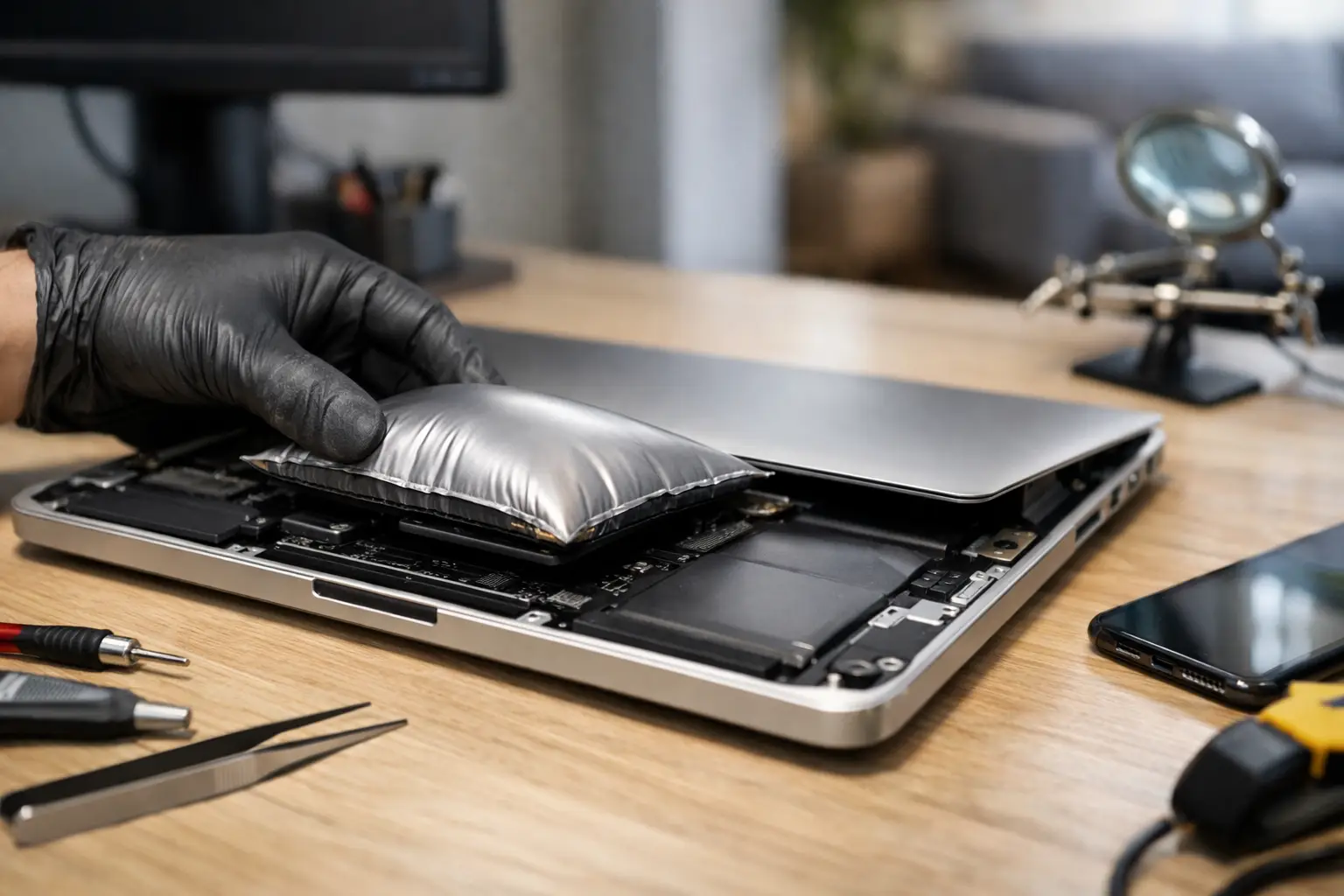

A phone screen lifting away from its frame, a laptop trackpad that suddenly feels raised, or a tablet case that will not close is not a cosmetic problem. If you are searching “is swollen battery dangerous,” the short answer is yes. A swollen lithium-ion battery can become a fire and safety hazard, especially if it is punctured, crushed, overheated, or charged while damaged.
Do not try to press the device back together, keep using it until the battery dies, or put a swollen battery in the trash. The safest move is to stop using the device and arrange a professional battery replacement as soon as possible.
Why a swollen battery can be dangerous
Most modern phones, laptops, tablets, smartwatches, and wireless accessories use lithium-ion batteries. Inside each battery are tightly packed layers and a chemical electrolyte. As the battery ages, overheats, suffers damage, or develops an internal defect, chemical reactions can create gas. That gas has nowhere to go, so the battery pouch expands.
The swelling itself means the battery has failed. It may still power your device for a while, but it is no longer operating normally. The expanded battery can push against the screen, keyboard, trackpad, motherboard, charging port, and case. More seriously, pressure or physical damage can break the thin internal barrier that keeps battery materials separated.
When that happens, the battery can short circuit. A short can create intense heat, smoke, leaking chemicals, or in rare cases, fire. The risk is not the same for every swollen battery, but there is no reliable way to tell from the outside whether one is about to become critical. Treat every swollen battery as a problem that needs prompt attention.
Signs your phone, tablet, or laptop battery is swelling
Sometimes the warning is obvious. A phone display separates from the frame, the back cover bows outward, or a tablet rocks on a flat table. On a laptop, you may notice the bottom case bulging, gaps around the edges, a raised trackpad, keys that feel uneven, or a lid that no longer closes correctly.
Battery performance can also change. Your device may run unusually hot, lose charge quickly, restart without warning, refuse to charge, or show an inaccurate battery percentage. These symptoms do not always mean the battery is swollen, but they are a good reason to have the device checked before the issue gets worse.
Do not assume a lifted screen is only failed adhesive. On many phones, a swelling battery pushes the screen upward from underneath. Forcing it down can crack the display or puncture the battery.
What to do when you find a swollen battery
Your first goal is to avoid adding heat, pressure, or electrical stress. If the device is safe to handle and is not hot, smoking, hissing, or leaking, power it off. Unplug it from its charger and remove it from tight cases, bags, bedding, cars, or other warm areas.
Place it on a hard, nonflammable surface away from children, pets, paper, fabric, and direct sunlight. A tile floor, concrete surface, or clear metal tray is better than a desk covered with papers. Keep it dry. Water is not a safe solution for a damaged lithium-ion battery.
Avoid these common mistakes:
- Do not charge the device again, even if you need it for work or school.
- Do not squeeze the battery, bend the device, pry open the case, or try to flatten the bulge.
- Do not puncture the battery or use sharp tools to remove it.
- Do not put it in the freezer, microwave, car glove compartment, or household trash.
- Do not mail a swollen battery or take it on a flight.
If you see smoke, smell a strong sweet or chemical odor, hear hissing or popping, or feel rapid heat buildup, move away from the device and keep others away. Call emergency services if there is an active fire or immediate danger. Do not try to be a hero over a phone or laptop. Devices can be replaced. People cannot.
Can you still use a device with a swollen battery?
No. It may turn on, appear normal, and seem usable for days or weeks, but continued use raises the risk. Plugging it in is particularly risky because charging generates heat and puts additional stress on a failing battery.
There is also a practical reason to stop early: a swollen battery can damage parts that are much more expensive than a battery replacement. On a phone, it can crack or permanently warp the screen. On a laptop, it can damage the trackpad, keyboard, bottom case, or internal cables. Acting quickly may turn a larger repair into a straightforward battery service.
If you need files from a laptop with a swollen battery, do not keep charging it just to access them. A repair technician can assess the device and discuss safe options for retrieving important photos, documents, or business files.
Why batteries swell in the first place
Age is one of the most common causes. All rechargeable batteries wear down over time. Heat is another major factor, which is why devices left in hot cars or used heavily while charging can have shorter battery life.
Physical damage can also trigger swelling. A hard drop, bent phone, liquid exposure, or damaged charging port may affect the battery or its charging system. Low-quality replacement batteries and incorrect chargers can contribute as well, although even an original battery can eventually fail.
It depends on the device and its history. A three-year-old laptop that has spent years plugged in may simply have a worn battery. A newer phone that began swelling after a drop or water exposure should be inspected for related damage. Either way, the answer is not to wait and see.
Is a swollen battery dangerous to remove yourself?
For most people, yes. Battery removal is more complicated than it looks in many modern devices. Phone and tablet batteries are often strongly glued in place, close to delicate display cables, and vulnerable to punctures during removal. Laptop batteries can be easier to access in some models, but they still require the correct tools, safe handling, and proper disposal.
Online repair videos can make the process look quick. They do not show the full risk of working around a damaged battery, nor do they guarantee that your device has the same internal layout. If the battery is already swollen, the margin for error is smaller.
Professional repair also gives you a chance to identify the cause. A technician can check for charging problems, liquid damage, bent frames, or other issues that could shorten the life of a new battery. CNA Computer Repair & Sales can inspect phones, tablets, and laptops, replace failed batteries with quality parts, and help you avoid turning a battery problem into device damage.
How to dispose of a swollen battery safely
Never place a lithium-ion battery in regular garbage or curbside recycling. It can be crushed or damaged during collection and sorting, creating a fire hazard for workers and facilities.
A repair shop, local household hazardous waste program, or approved battery recycling provider may be able to accept it. Call ahead first and explain that the battery is swollen. Some collection sites accept normal batteries but will not take damaged ones, while others have specific packaging and drop-off instructions.
If the battery is still installed in the device, do not attempt to remove it just for disposal. Bring the device to a qualified repair provider for assessment. Transport it carefully in a sturdy container, keep it out of extreme temperatures, and do not leave it in a parked vehicle.
A swollen battery is your device telling you to stop and take action. Power it down, keep it away from heat and anything flammable, and have it handled promptly. Fast attention protects your device, your data, and the people around it.
Leave a Reply